
Best Project Management Software for B2B Teams in 2026
The top B2B project management tools tested and ranked for 2026. Find the right platform for your team size and workflow.
The project management software market has matured significantly. The old generation of tools — spreadsheets, email chains, and basic to-do lists — has been almost entirely replaced by purpose-built platforms with automation, reporting, and integrations. The new problem is choosing between them.
We tested nine B2B project management platforms over eight weeks across real client projects, internal operations, and cross-team coordination scenarios. These are our findings.
How we evaluated project management tools
Each tool was assessed on five dimensions: ease of setup and onboarding, flexibility of task and project structures, quality of automation, reporting and visibility, and value relative to cost at the 10-seat level. We gave extra weight to how well each tool performs for non-technical business teams — not just engineering.
The best B2B project management platforms in 2026
1. Monday.com — Best overall
Monday.com has earned its market position. The platform strikes a rare balance between accessibility and capability: it is visual enough for non-technical users to get up and running within a day, but deep enough to support complex multi-team workflows once you need them.
The core experience is built around boards — flexible grids where columns, automations, and views can be configured to match how your team actually works. The automation builder is particularly strong, covering most common workflow scenarios without requiring any code.
Where Monday.com struggles is price. The free tier was removed, and costs escalate quickly for larger teams. But for teams of 5 to 50 managing a mix of client work, internal operations, and marketing projects, it is the most capable all-round platform available. Read our Monday.com review for a full feature and pricing breakdown.
Pricing: From $9/seat/month (minimum 3 seats). No free tier.
2. ClickUp — Best for feature depth
If Monday.com is the polished option, ClickUp is the comprehensive one. It covers more ground than any other platform in this list — tasks, subtasks, docs, goals, whiteboards, time tracking, and team chat are all included. The pitch is legitimate: for many teams, ClickUp genuinely does replace several separate tools.
The trade-off is complexity. ClickUp requires more setup investment to configure correctly, and the interface can feel overwhelming before you trim it down to the features you actually need. But for technical users and operations-heavy teams, that depth is a genuine advantage.
The free tier is one of the most capable in the market, covering most core features for unlimited members. Read our ClickUp review for a deep dive into its feature set and best use cases.
Pricing: Free tier available. Paid plans from $7/seat/month.
3. Asana — Best for structured processes
Asana occupies a clear niche: teams that run repeatable, structured processes across multiple people and departments. Its timeline view, rule-based automations, and portfolio reporting make it particularly strong for operations, marketing, and HR teams that need to coordinate predictable workflows at scale.
It lacks the visual flexibility of Monday.com and the raw feature count of ClickUp, but what it does, it does cleanly. Cross-functional projects with multiple stakeholders, dependencies, and approval workflows are where Asana performs best.
Pricing: Free tier for teams up to 10. Paid plans from $10.99/seat/month.
4. Notion — Best for knowledge-heavy teams
Notion’s strength is the combination of project tracking and documentation in a single workspace. Teams that spend as much time writing, documenting, and sharing knowledge as they do tracking tasks will find Notion more useful than a pure PM tool.
The database system is powerful and flexible — a well-configured Notion workspace can handle project tracking, meeting notes, OKRs, and a full company wiki simultaneously. The recent introduction of Projects has improved its pure project management capabilities, though dedicated PM tools still have an edge for task-heavy workflows.
Pricing: Free tier available. Paid plans from $8/seat/month.
5. Jira — Best for engineering teams
Jira remains the default for software development teams running agile workflows. Sprint planning, backlog grooming, release tracking, and bug reporting are all first-class features built around the specific needs of engineering and product teams.
For non-technical business teams, Jira is typically overkill and difficult to configure without a dedicated admin. But for companies where the primary users are developers or product managers, it is the most capable tool available for agile project delivery.
Pricing: Free tier for up to 10 users. Paid plans from $7.75/seat/month.
Which project management tool is right for your team?
Start with ClickUp if budget is a constraint and you need depth. Choose Monday.com if onboarding speed and visual reporting matter most. Pick Asana if you run structured, repeatable processes. Consider Notion if documentation and project tracking need to live together. Use Jira only if your primary users are engineering or product teams.
If you’re deciding between the top two, see our Monday.com vs ClickUp comparison for a head-to-head breakdown.
And if your team is fully distributed, our guide to the best project management tools for remote teams evaluates this same category through an async-first lens, weighing time-zone handling, documentation, and built-in communication features.
Frequently Asked Questions — Best Project Management Software for B2B Teams in 2026
1 What is the best project management tool for a small B2B team?
2 Is Monday.com better than Asana?
3 Can I use Notion as a full project management tool?
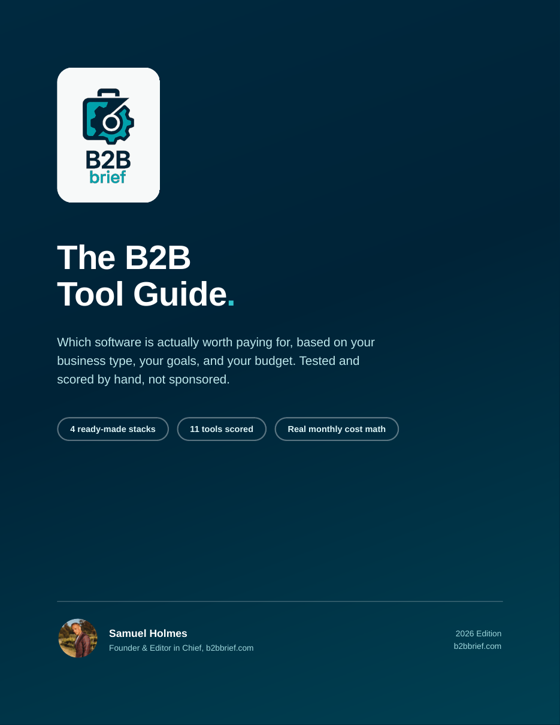
Get the Free B2Bbrief Tool Guide
The exact tools 500+ consultants use to run their business. Free PDF, no spam.
Instant download · No spam · Unsubscribe any time